.png)


DRILLING COMMAND CENTRE
Watch your rigs turn, live.
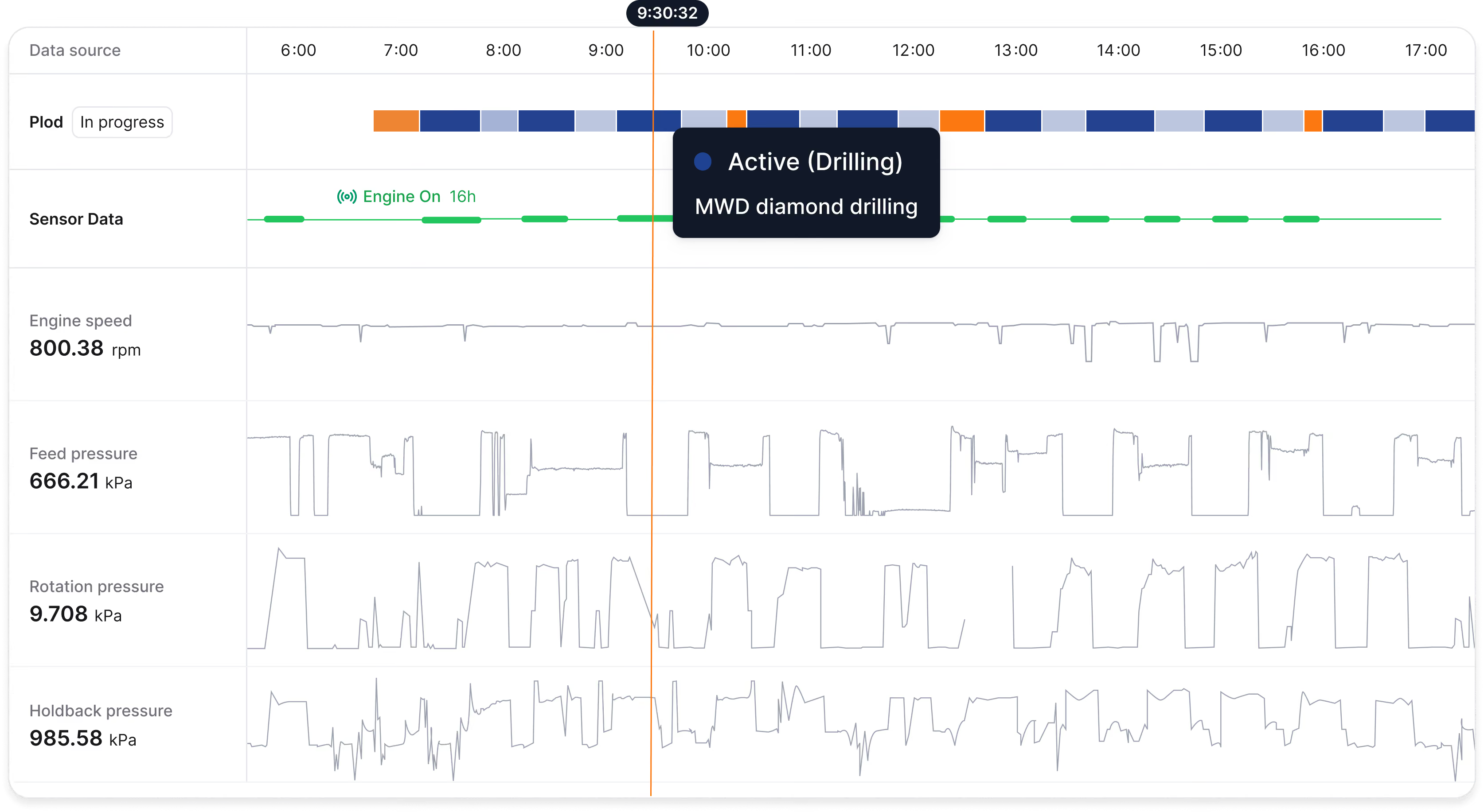
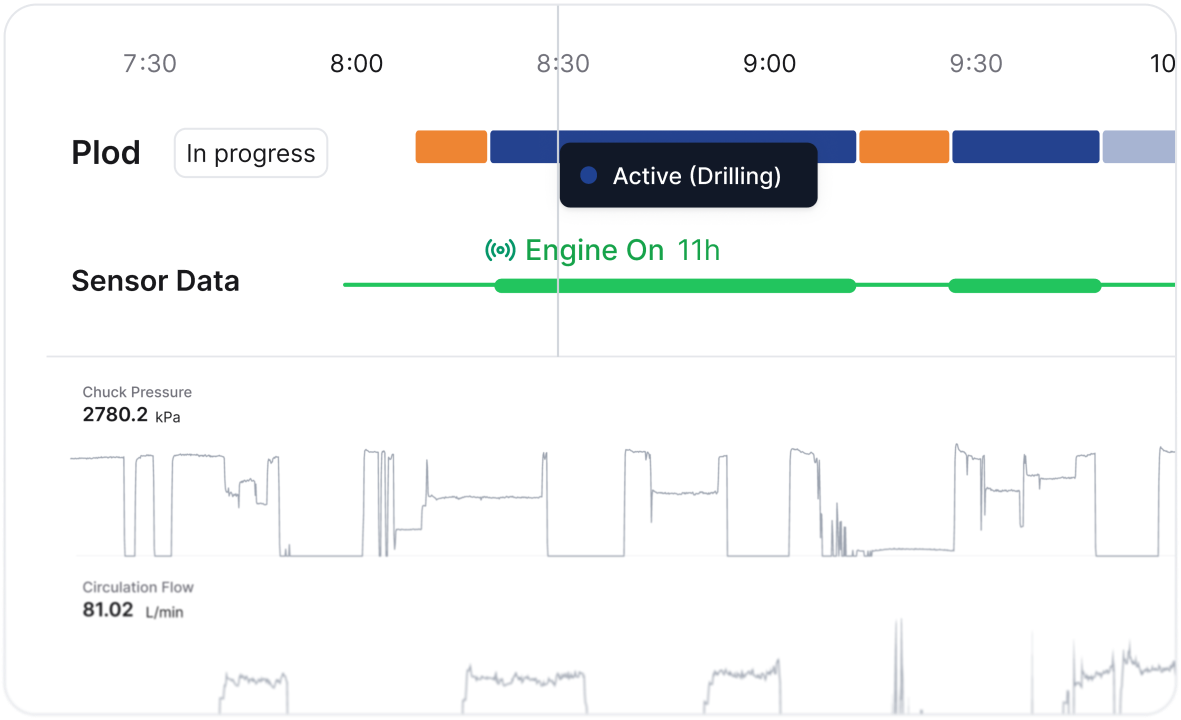
See every rig's status live in Drilling Command Centre, with Plod and optional MWD data in one view. Spot problems while there's still time to act.
.png)
Right now, the shift is a black box

Waiting for the Plod
The clearest picture arrives after the shift, when there is less time to recover the day.
.svg)
Chasing rig updates
Supervisors call, text and drive between sites to find out how each rig is tracking.
.svg)
Finding lost time too late
Long standby, breakdowns and slow shifts become clear after the time has already gone.
Command Centre brings the shift into view.
Active (Drilling)
MWD diamond drilling
Start with Plod drafts.
Add sensors when you're ready.
INCLUDED ON ALL DRILLING HUB PLANS
Plod-fed Command Centre
Get a live operational picture as drillers save Plod drafts during the shift.

Best for: Contractors that want live fleet visibility using the Plod workflow their crews already know.
See Command Centre in actionPAID ADD-ON
MWD sensor integration
Add machine data to see what the rig actually did alongside what was reported in the Plod.
Best for: Contractors that want deeper operational evidence, performance analysis and a clearer basis for billing.
Talk to us about MWDBuilt for drilling supervisors and ops teams
01
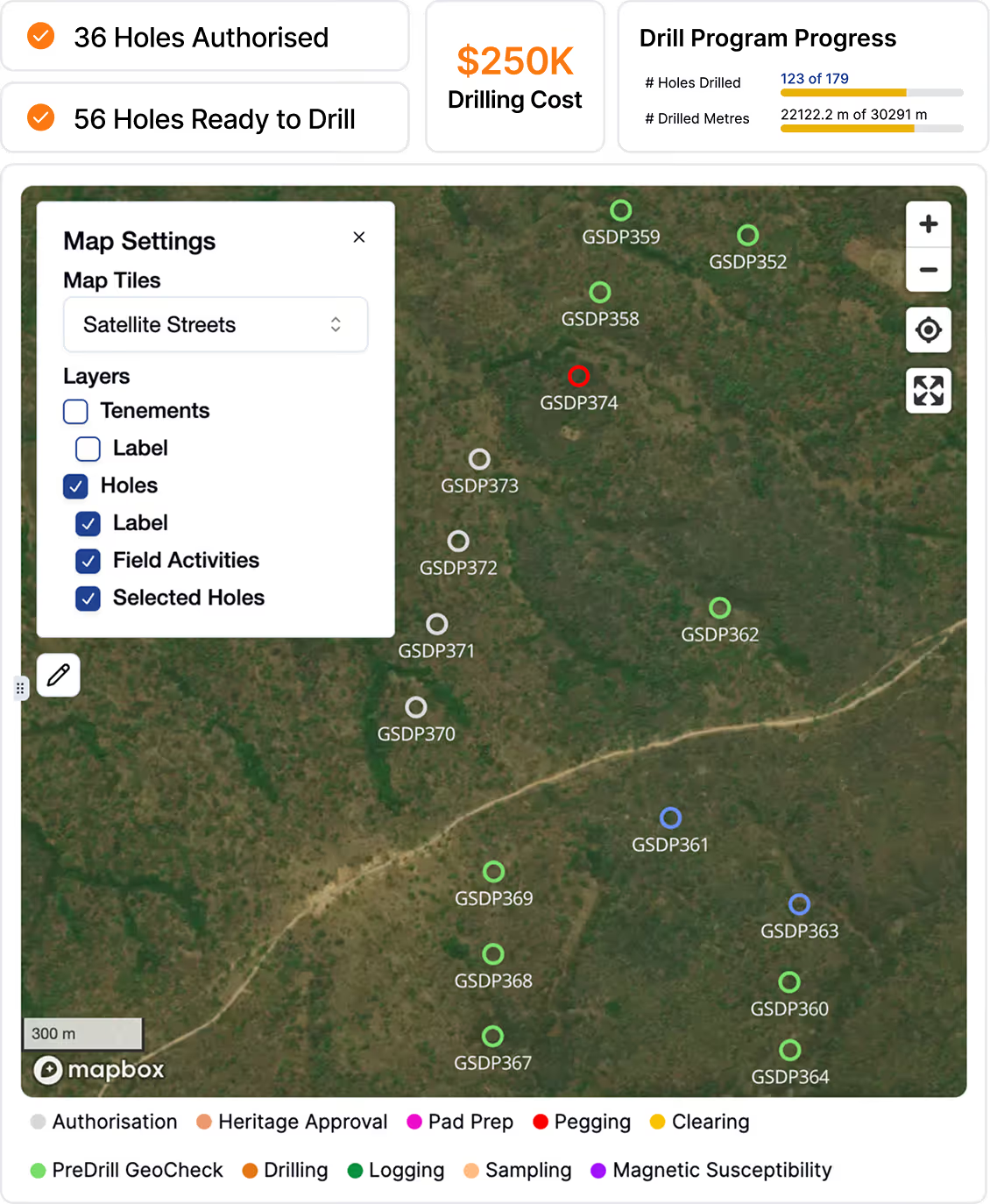
Every rig in one view
See active rigs across projects and focus on the ones that need attention.
02
A workflow crews know
Keep using Plods during the shift, then add supported sensors when needed.
03
Turn sensor data into action
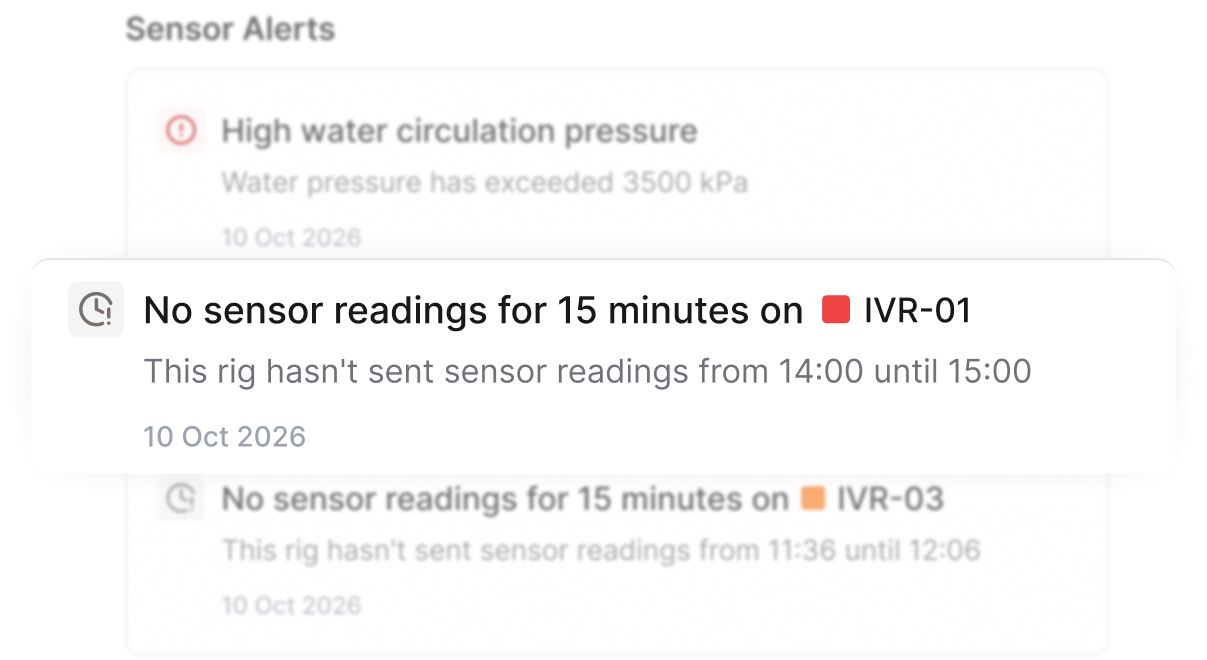
Sensor alerts flag inactivity and pressure issues as they happen.
.png)
Frequently asked questions

The Drilling Command Centre is a live operational view inside Drilling Hub. It shows what every active rig is doing during the shift, including the latest recorded activity, current hole, metres drilled and average penetration rate. This helps supervisors see which rigs need attention without waiting for end-of-shift Plods.
Yes. The Plod-fed Command Centre is included on all Drilling Hub plans. It uses draft Plod data saved by drillers throughout the shift and does not require sensor hardware. MWD sensor integration is a paid add-on.
Command Centre receives data in two ways. First, it uses Plod drafts saved by drillers during the shift. Second, contractors can add MWD sensor integration, which sends machine data from supported rig hardware into the same view.
The Plod-fed Command Centre shows what drillers have recorded in their draft Plods. MWD adds sensor data from the rig itself. Together, they let supervisors compare reported activity with machine activity in one view.
Drillers continue using the same Plod workflow. To give supervisors a live view, they need to save Plod drafts regularly throughout the shift rather than completing the Plod only at the end.
CorePlan takes a hardware-agnostic approach and supports approved sensor vendors. Compatibility depends on the sensors already installed across your fleet. Talk to CorePlan about your current hardware and integration options.
Command Centre needs an internet connection to receive new data. If a driller is offline or underground, Plod data becomes available after the device reconnects and the data syncs.
Command Centre can be made available to supervisors, managers, and admins. Access can also be managed through custom user roles and permissions.
No. Command Centre is designed to help supervisors make faster operational decisions and see where a crew may need support. The focus is rig activity, operational context and resolving issues while there is still time to act.
Command Centre creates a clearer record of rig activity. With MWD, sensor data adds evidence that can help teams check chargeable and non-chargeable time, resolve questions and invoice with greater confidence.
Your data is stored securely and encrypted in AWS data centres in Sydney, with access limited to authorised users in your account. CorePlan has independently assessed cybersecurity alignment to ISO/IEC 27001:2022 and has completed SOC 2 Type I and Type II audits.
%201.png)
.svg)


